Screens
The Display mode setting picks what the display shows. The settings page lists each mode with its kind in brackets:
| Mode | Screens |
|---|---|
| Sport (dash) | Driving screen; the charging screen while a charge cable is plugged in |
| Glass (dash) | The same values as Sport (dash) in a different look: driving and charging screens |
| Bars (g-force) | G-force meter with bars |
| Line (g-force) | The G-force as a moving dot, with this drive's peaks all round |
| Bauhaus (clock) | A clock |
| Box gauge (one), Sport (one), Vintage (one), Segment (one), Classic (one), Phosphor (one), Number (one), Glass (one) | Gauges: one value each, a CAN signal or a value of the display's own such as the 12 V battery |
| Power graph (other) | Battery power graph |
| Warning (other) | A ring round the edge: white when all is OK, red with a large "!" when a CAN signal says so |
| CAN data (other) | One CAN message's raw bytes, live: for checking wiring and finding a signal |
Two names come twice, told apart by their kind: Sport (dash) and Sport (one), Glass (dash) and Glass (one).
The brightness is a setting, together with each mode's Detail colors that can make the white details grey for night driving: Brightness and night driving.
Colours, units and scales are settings. The pictures show the defaults.
Sport (dash)
The two dashes, Sport (dash) and Glass (dash), show the same values: the driving screen while driving, the charging screen while a charge cable is plugged in. Where each value comes from is a CAN signal you can change (Dash CAN signals); the defaults are the Resolve Controller's and the Nissan Leaf's.
Driving
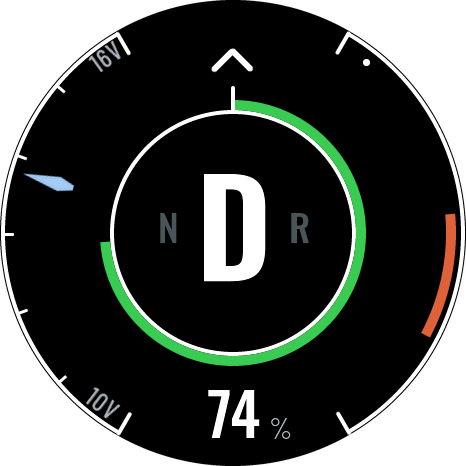
- Centre: the gear (D, N or R) with the other gears beside it.
- Green ring and number: the battery's state of charge.
- Right bar: battery power in kW. Orange upwards from zero while driving, downwards in the regen colour while regenerating. Its ends are settings (Power bar drive max value and Power bar regen max value, 110 and −40 kW by default); without regen (regen max value 0) the whole bar is for driving. The dots mark the power past the battery's own limits right now, for drive and for regen.
- Left gauge: the 12 V battery, 10 to 16 V, by default. It can show any value: a CAN signal, such as the motor temperature, with your own scale and unit at its ends (Left gauge and bottom arc).
- Chevrons at the top: regen strength, none, one or two lit.
Charging
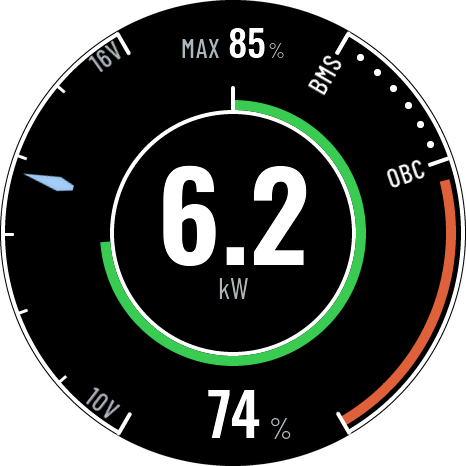
- Centre: charging power in kW: one decimal below 10 kW, whole kW from 10 kW. It never reads more than the charger's maximum.
- Right bar: charging power from 0 to Charging bar max value (10 kW) while AC charging, to Quick charging bar max value (50 kW) while quick charging. BMS marks the most the battery accepts now, OBC the most the on-board charger delivers; the dots run between them.
- MAX at the top: the charge level where charging will stop, while max charge is on. To switch it on or off: cable in, car in neutral, press N (below 80 % charge). The level is the Resolve Controller's Charge Limit setting (default 85 %).
- Ring and left gauge: as on the driving screen.
Glass (dash)
Driving
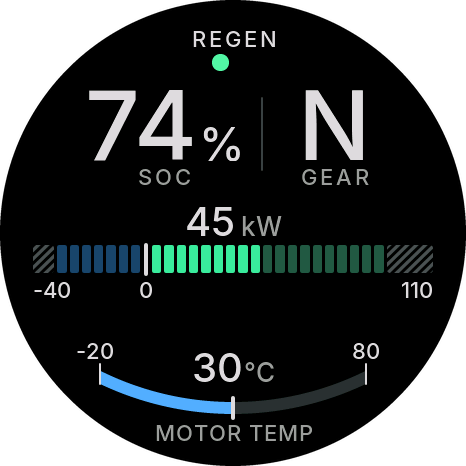
- Top: REGEN with a dot per regen step, none, one or two.
- SOC and GEAR: the battery's state of charge, and the gear.
- Power: battery power in kW over a segmented bar: green to the right of zero while driving, blue to the left while regenerating. Its ends are the same settings as Sport (dash)'s, and zero sits where they put it; without regen there is no regen side. The striped part is past the battery's own limits right now.
- Bottom arc: the motor temperature, −20 to 80 °C, by default. Like Sport (dash)'s left gauge it can show any value, with its own name, unit and scale (Left gauge and bottom arc).
Charging
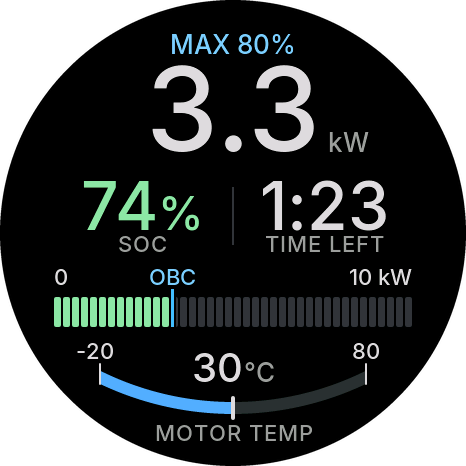
- MAX at the top: as on Sport (dash), while max charge is on.
- Power: charging power in kW, as on Sport (dash).
- SOC and TIME LEFT: the state of charge, and the time until charging stops (hours:minutes), at the max charge level while it is on, else at full. The time is the display's own estimate from a Nissan Leaf's battery; on another car it can come from a CAN signal (Charge time left), or it doesn't show, and the SOC stands alone in the middle.
- Bar: charging power from 0 to the same ends as Sport (dash)'s, with the BMS and OBC marks.
- Bottom arc: as on the driving screen.
When a value is missing
On both dashes, a value whose CAN signal is Not used, or that hasn't arrived since the display turned on, shows nothing: the numbers read --, and a bar, a needle, a gear letter, a chevron or a limit mark is left out. A value that stops arriving keeps its last reading, and the error card says No Data with the message's ID (Errors).
Setting up without the car: while the settings page is connected and no CAN data arrives, the dashes show example values for every signal that is set up (74 %, 45 kW, N, one chevron, 3.3 kW, MAX 80 %, 1:23 left) and the gauges sweep their scales, so you can see your colours and settings. A signal set to Not used shows as it will in the car. Swipe left or right on the display to see the other screen (driving or charging) while the page is connected.
Bars (g-force)
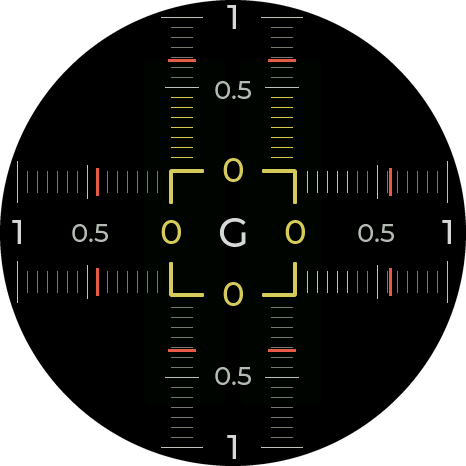
The rails show the force you feel: left and right on the horizontal rails, accelerating and braking on the vertical ones. Lit segments show the force now. The red marks show the highest force this drive: they start again each time the car is switched on. The scale is 1, 2 or 3 G (setting Range).
Level the meter after mounting, so that a still car reads zero (see Settings).
Line (g-force)
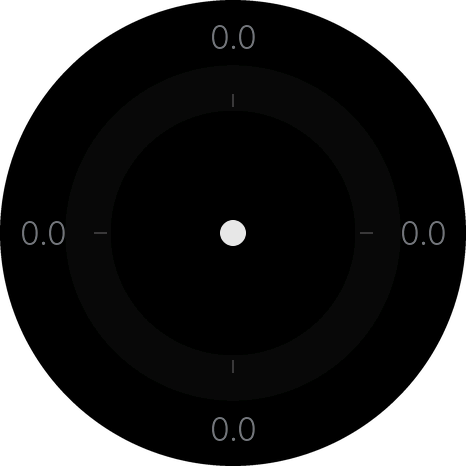
The same force as Bars (g-force), as a dot that moves the way you are pushed: up when braking, down when accelerating, out of a turn. A line round the middle traces the strongest force this drive in every direction, and the numbers at the top, bottom and sides are this drive's peaks forward, back, left and right, in G. The faint ring marks a force you pick (setting Ring at). The peaks start again each time the car is switched on, and when you level the meter (Settings).
Bauhaus (clock)
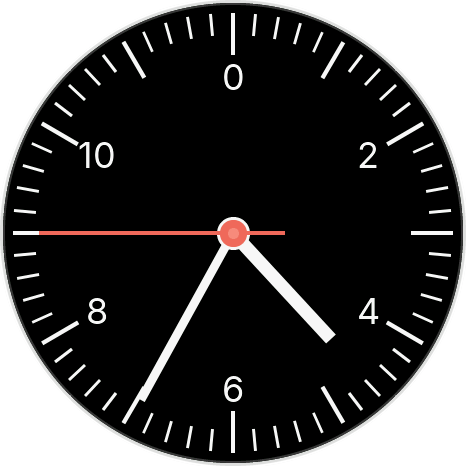
A clock with hour, minute and second hands. It takes the time from the settings page each time the page connects: connect once after the display has had no 12 V, since it keeps the time only while it has power.
Gauges (one)
Each gauge shows one value: a CAN signal (the motor speed, a temperature, a pressure ...) or a value of the display's own (the 12 V battery, the charge time left). You pick the value, its scale, name and unit under Settings → Gauges. The pictures show each gauge's default value. With the settings page connected and no CAN data, a gauge sweeps its scale from end to end, so you can see your settings on it.
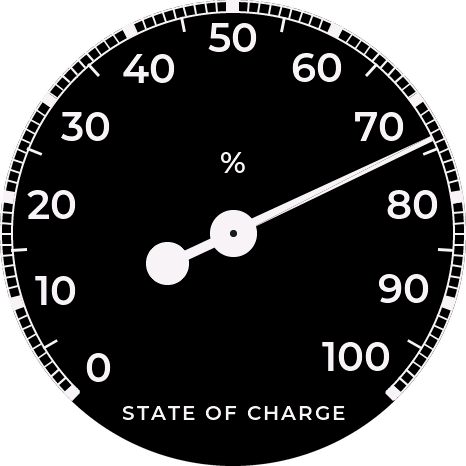
Box gauge (one): a needle over a scale with its numbers, the name at the bottom and the unit in the middle. Default: the state of charge, 0 to 100 %.
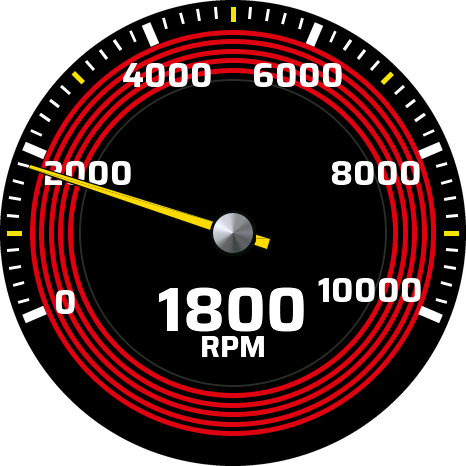
Sport (one): a race-car tachometer: a needle over a scale ringed in red, the value in large figures under the hub. Default: the motor speed, 0 to 10000 RPM.
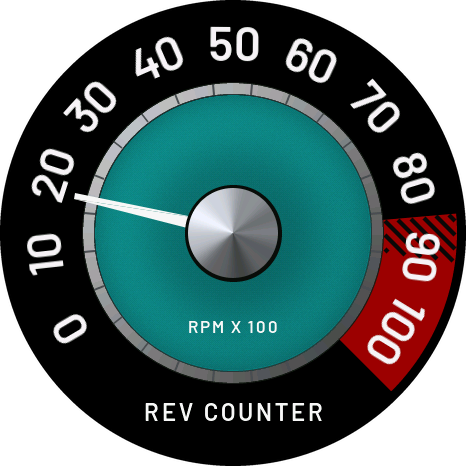
Vintage (one): an old-style rev counter with a red zone at the top of its scale. Default: the motor speed in hundreds of RPM, 0 to 100.
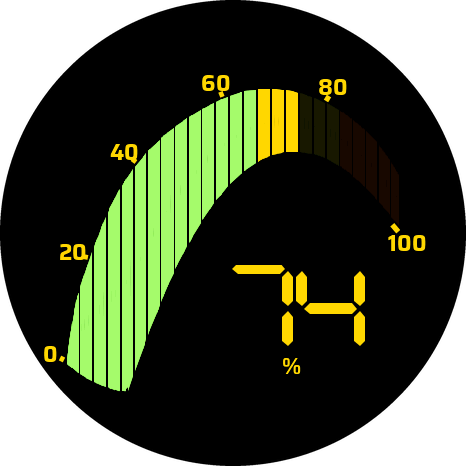
Segment (one): a curved bar of segments, green, yellow and red from low to high, and the value in segment-display figures. Default: the state of charge, 0 to 100 %.
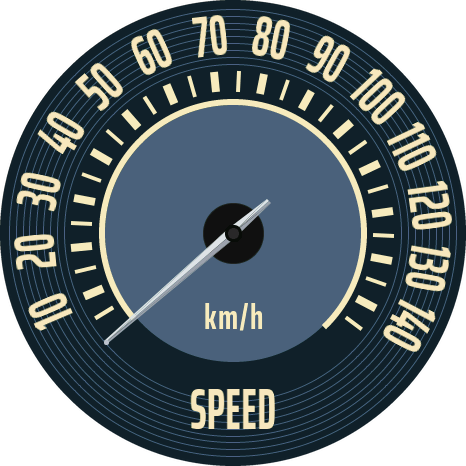
Classic (one): a classic speedometer. Default: the road speed, 0 to 150 km/h.
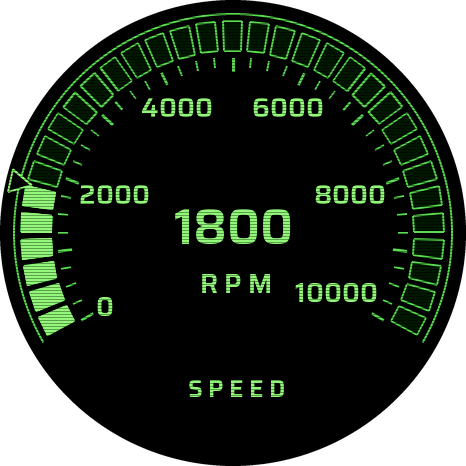
Phosphor (one): a green phosphor-screen look, the value as lit segments round the edge and in figures. Default: the motor speed, 0 to 10000 RPM.
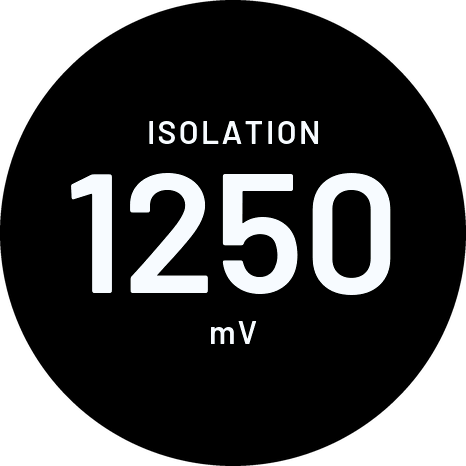
Number (one): the value in large figures, the name above it and the unit below. Default: the battery's isolation reading in mV.
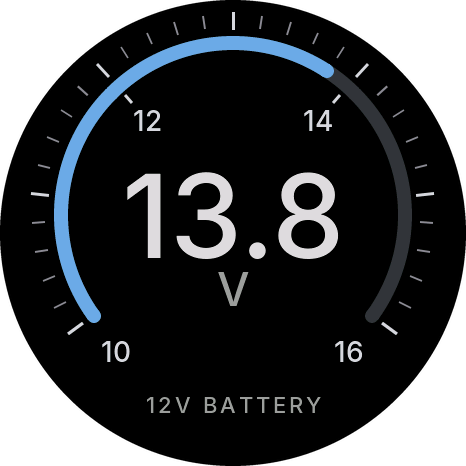
Glass (one): the value in large figures over an arc, the name at the bottom. Default: the 12 V battery, 10 to 16 V.
Power graph
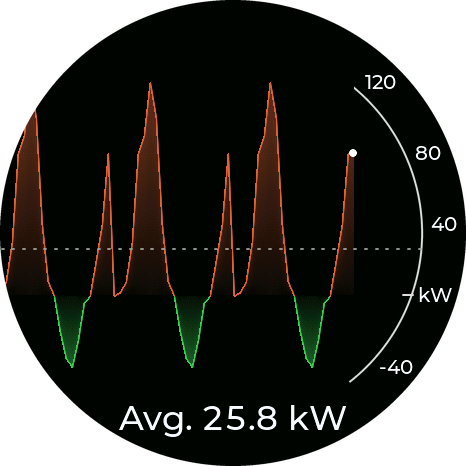
Battery power over the last 1, 2, 5 or 10 minutes (setting Time frame), newest on the right.
- Orange, above zero: power taken from the battery.
- Green, below zero: regen into the battery.
- White dot: now.
- Dotted line and "Avg.": the average over what is on screen.
The scale adjusts to what is on screen. The power comes from CAN signals you can set; see Settings.
Warning

A red ring round the edge of the display that pulses, a large red ! in the middle, and a text of your own under it (default "WARNING"). A CAN signal turns it on, not a button or a setting: for example a warning bit from your controller (low oil or coolant pressure, a pump fault), or a value such as the battery temperature going above 55 °C. Set the signal, the level it turns on above, the text and the colours under Settings → Warning.
The ring breathes from dim to full about once a second, so the warning catches your eye; the ! and the text stay steady, so you can read them.

With the ignition on and no warning, a steady white ring glows round the edge, so you can see the display is working. When the warning comes, the ring turns red and the ! and your text appear; when it clears, the white ring comes back. If you'd rather have a black screen until a warning comes, turn White ring when all is OK off.
With the ignition off, it depends on Show: with With the ignition (default) the display stays off. With Always, a warning also turns the display on while the car is off (parked or charging), and off again when it clears.
A warning stays on the screen for at least 3 seconds, so a short one isn't missed.
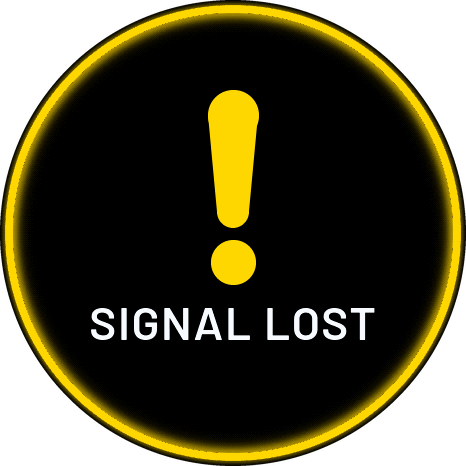
When the display can't tell, it says so in yellow. It never shows the calm white ring when it doesn't know: the ring turns yellow and pulses, with a yellow ! and the reason under it (the colour is the Signal lost color setting):
- SIGNAL LOST: the warning's CAN message has stopped for 2 seconds while it should be there (the ignition has been on for 3 seconds, or with Always the CAN bus is awake). This is also what you see if the sender, its message or the wiring fails while a warning is on. The screen goes back to normal as soon as the message comes again.
- NOT SET UP: the Warning mode is selected but no Warning CAN signal is set.
A parked car whose CAN bus is silent is not a lost signal: the display stays off and sleeps.
The Warning screen shows what the CAN signal you set up says. It depends on that signal being set up right, its sender sending it, the CAN bus and the display working and powered. It is not a certified safety system. Keep the car's own warning lamps and gauges, and act on them.
With Ignition source: CAN signal, a CAN bus that goes completely silent also switches the display off, as it does at key-off: the two can't be told apart. With Ignition wire (pin 7) the display stays on and shows SIGNAL LOST.
CAN data
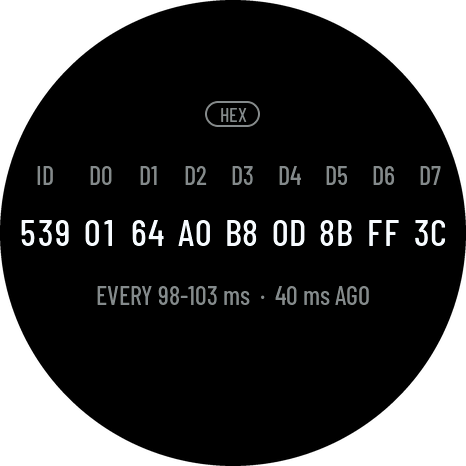
One CAN message, live: its ID and its 8 data bytes D0 to D7, in hex, as large as fit across the screen. You pick the ID under Settings → CAN data (default 539, the Resolve Controller's message to the display).
What it's for:
- Checking the wiring: if the bytes change and the line under them counts frames a second, the display is on the bus and that module is sending.
- Finding a signal's bytes: watch which byte changes while you press the pedal, turn on the heater or plug in the cable. That byte (or pair) is the signal; enter it as a CAN signal for a gauge or the Warning screen.
The line under the bytes shows the message's length (DLC, how many bytes it has) and how many
came in the last second. Bytes past its length show --. Before the first message of that ID
comes, every byte shows -- and the line says WAITING FOR DATA: check the ID, and whether it
is a standard (3 digits) or an extended (8 digits) ID.
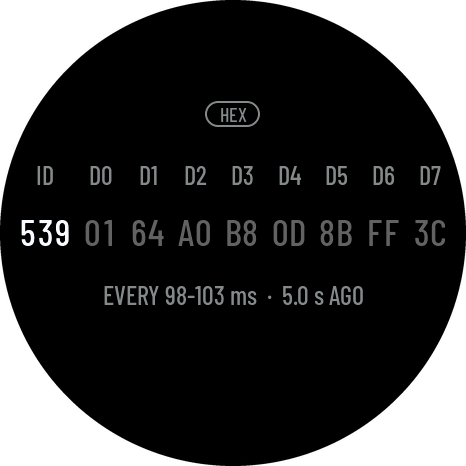
When the message stops for more than 2 seconds, the last bytes stay on the screen, greyed, and the line says how long ago it came (NO FRAME FOR 5 s). They turn white again as soon as it comes back.
Errors
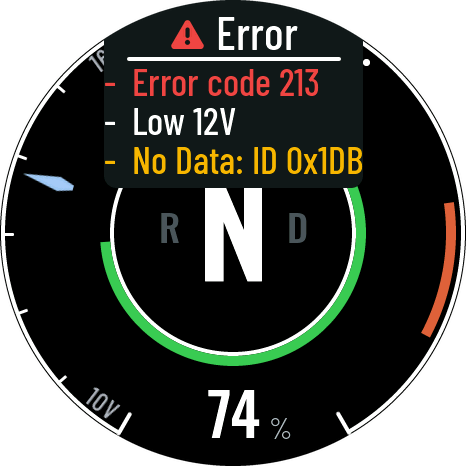
On the dashes, Sport (dash) and Glass (dash), problems show on a card at the top of the screen, 5 seconds after the display turns on. While the settings page is connected and no CAN data arrives (on the bench), the card stays hidden. What to do: Troubleshooting.
Error codes come from the Resolve Controller. Its Owner's Manual explains them.
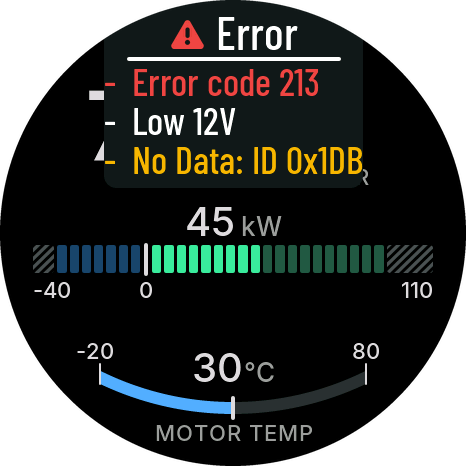
The same card on Glass (dash), over the top of its driving and charging screens.
| Message | Meaning |
|---|---|
| CAN error, bus off | The display stopped using the CAN bus after too many errors (below). Shown alone, before any other error |
| Error code 2xx | The Resolve Controller reports a fault, with its code as it sends it: 201–207 the battery (201 drive stop, 202 charge stop, 204 caution lamp, and their sums for combinations, such as 206), 210–217 the same with an isolation fault (low insulation resistance between the high-voltage system and the car). Details: Owner's Manual. Shown with Resolve Controller errors on (the default); turn it off for a car with another controller (Settings) |
| Low 12V | 12 V supply below 11.8 V (clears above 12.0 V) |
| No Data: ID 0x1DB | A CAN message the dash's values come from has stopped for 2 seconds with the ignition on (from 3 seconds after it comes on, so every module can start): its ID, as you set it up (Dash CAN signals). Up to four of them, one per line. A signal set to Not used is never missing |
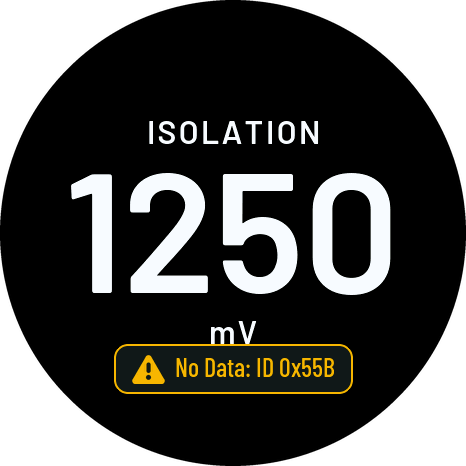
The gauges (one) and the power graph show a missing CAN message in a badge near the bottom of the screen instead, for the CAN signal they show: No Data: ID 0x55B. When the power comes from two messages, the badge names both (No Data: ID 0x1DA, 0x1DB). The gauge keeps its last value, and the badge goes as soon as the message comes back. The same rules as the card: 2 seconds, with the ignition on, not on the bench.
Warning shows its own SIGNAL LOST instead, and CAN data its own lines. Bars, Line and Bauhaus use no CAN.
CAN error, bus off
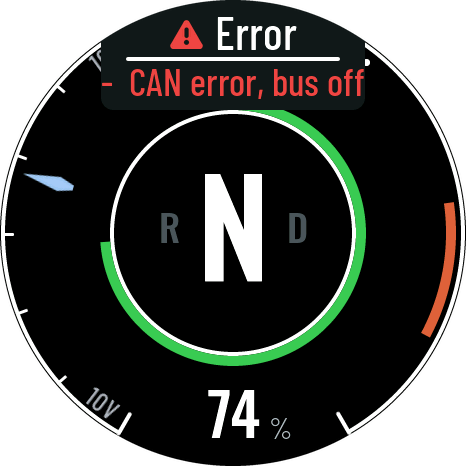
If the display's CAN connection gets too many errors, it goes bus off: it stops using the CAN bus, so it can't disturb the car's other modules. For safety it stays off the bus until the display restarts. It doesn't try again by itself.
On the dashes the error card shows CAN error, bus off, before and instead of every other error (without CAN data, every value would read as missing).
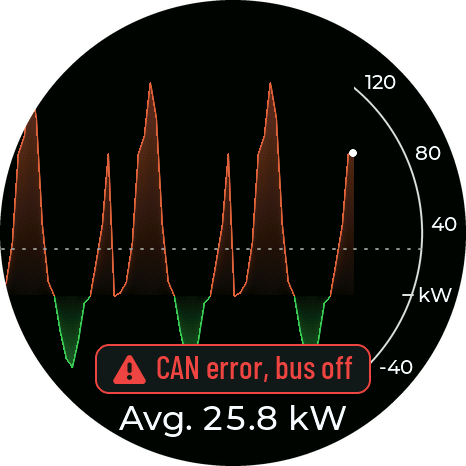
Every other mode shows CAN error, bus off in a badge near the bottom of the screen. The Warning screen hides its text under the "!" while the badge shows.
It shows only while the screen is on: with the ignition wire, while the settings page is connected, or on the Warning screen's "Always". To get CAN back, fix the cause (usually the CAN bitrate or the wiring) and restart the display: Restart display on the settings page, or switch its 12 V off and on. Troubleshooting